


Gallery - Photo Album
4.675.00 Reviews
App Specs
- Version
- 2.6
- Updated On
- License
- Free
- Downloads
- 500,000+
- Developer
- Gallery - Photo gallery
- Categories
- Photography
- Platform
- Android
Screenshots

 Analysis by AppCompare
When my camera roll starts feeling less like a collection and more like a pile, I want a gallery that helps me get to the right image without turning photo management into another chore. Gallery - Photo Album is a free photography app from Gallery - Photo gallery, and its appeal is a straightforward one: keep photos and videos easier to browse and manage. I’d look at it most closely if you want a dedicated place to sort through everyday pictures, rather than a full editing studio or a cloud-storage service.
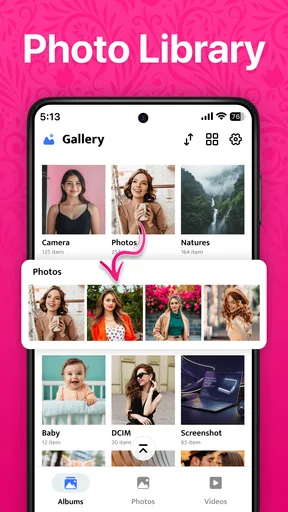
Finding your way around a busy camera roll
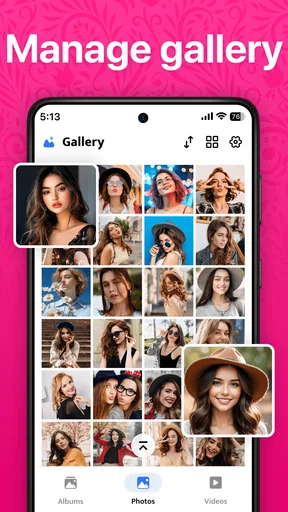
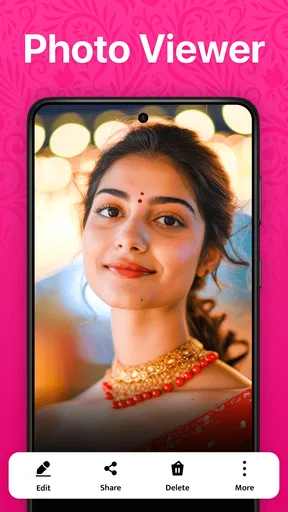
In a gallery app, readability is not just about attractive screens; it is about being able to recognize a photo, understand where you are, and reach the next action without hunting through menus. The published experience feels uncluttered, with the images taking priority. That matters when you are trying to find a receipt, a family picture, or a screenshot while someone is waiting beside you.
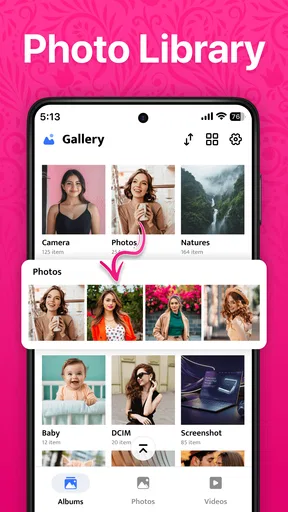
Albums offer a useful first layer of order. Instead of relying on one long camera roll, I can think in practical groups: pictures from a trip, images for a home project, or photos I want to keep separate from casual snapshots. A helpful habit is to make a small number of meaningful albums rather than sorting everything into dozens of tiny folders. Too much organization can become its own maintenance task.
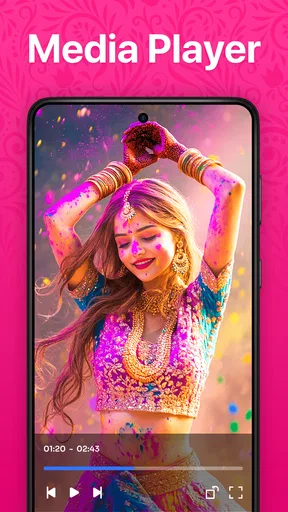
The app is presented as a simple way to manage both photos and videos, so it suits people who want a familiar visual library rather than a file manager full of technical labels. Its rating averages 4.6 from around 10,000 ratings, and it has passed 500,000 installs. Those figures suggest that it has reached a sizeable audience, though popularity alone cannot tell you whether its layout will work for your eyesight, phone, or habits.
Search helps, but check what it can actually find
The original review experience describes searching by date, location, and objects in pictures. If those options are available on your device, they can make a large library far easier to navigate than scrolling month by month. Date search is useful when you remember roughly when an image was taken; location can help with travel photos; object search is handy when the memory is clear but the date is not.
I would still treat search as a shortcut, not a substitute for a sensible album structure. Search results depend on the information available to the app and the images themselves, so a vague query may not surface the exact picture you have in mind. For something important, such as a document photo, I’d put it in a clearly named album as well as relying on search. That gives you a second route when a query disappoints.
One practical check is to try a few searches with images you already know well before depending on them in a hurry. Look for a recent photo by date, then try a location or a visible object. That quick test tells you which kinds of search are genuinely useful in your own library and helps avoid the frustration of assuming every old image will be indexed in the same way.
Worth Reading Before You Choose

EA SPORTS FC Mobile 26 Is a Bigger Football Game, but It Takes Time

Flipboard Shows What News Apps Must Do Beyond the Feed

Switching to Android Auto Means Rethinking Your Driving Routine

Google Calendar Makes a Crowded Week Easier to Manage

Ludo King Makes the Most of the Minutes Between Plans

Baby Panda World Brings Quick Play to Modern Phones, but Its Game Library Feels Busy
Quick edits and a sensible stopping point
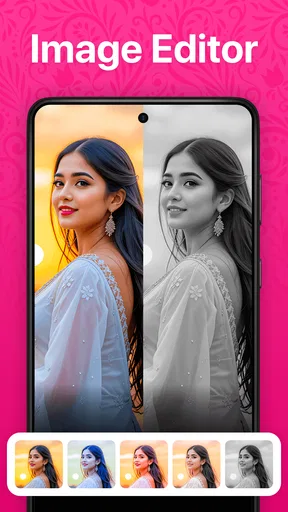
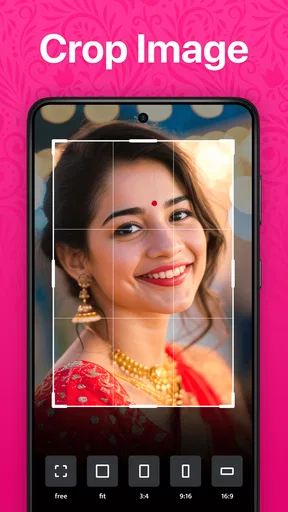
Having basic editing tools beside the photo can save a trip to another app when all I want is a small brightness or contrast adjustment, or a quick filter. For a picture I am about to send to a family chat, that convenience is often enough. I would not use this as my main editing workspace for careful color work, detailed retouching, or a batch of images that need to look consistent.
That difference is worth keeping in mind: a gallery editor is most valuable when it removes a small interruption from browsing and sharing. If I want control over a finished image, a dedicated editing app is the better tool. I also make a habit of checking the result before sharing, especially after applying a filter; a quick preview can catch an edit that looks stronger than intended on a bright screen.
Private pictures and everyday sharing
A passcode-protected vault is useful when I want certain pictures kept apart from the main browsing flow, such as personal images or photos I do not want to open accidentally while showing someone another picture. It is a convenience for privacy, not a reason to treat the app as a replacement for a carefully considered backup or account-security plan. Before placing anything important in a vault, I would check how the app handles moving items in and out and make sure I still have a safe copy where appropriate.
Sharing individual images or albums through familiar communication apps can also shorten a common task. Imagine sorting through pictures after a weekend visit: I can gather the ones relatives asked for, make a small album, and send it rather than forwarding each image in a separate conversation. The useful trade-off is convenience versus control. Before sharing a whole album, I’d review its contents so that unrelated screenshots or private images do not go along with the pictures I meant to send.
The app is free and rated for Everyone, which makes it approachable for a broad range of users. It was released on January 11, 2025, and version 2.6 lists Android 8.0 as its minimum operating system. I would still check that the version available for my device matches my platform before installing, then give it a brief trial with a few photos rather than reorganizing my entire library immediately.
Where it fits among gallery alternatives
Compared with a phone’s built-in gallery, a separate photo manager is worth trying when the default app makes albums or browsing feel awkward. This one’s draw is the combination described in everyday terms: albums, search, basic edits, a private vault, and sharing in one place. If your built-in gallery already handles those tasks comfortably, switching may not make your routine better. The best test is whether you can complete your common jobs with fewer steps, not whether an app simply has more buttons.
It is also different from a cloud photo service or a professional editor. A gallery is primarily where I browse and organize what is on the device; cloud services are more relevant when I need syncing or access across devices, while editing suites are better for detailed image work. I would not choose this app alone to solve a backup problem, nor would I expect its quick adjustments to replace a specialist editor.
Small frictions and who may want another option
There are a few reasonable limits to consider. The editing tools are described as basic, and the appearance options may feel narrow if you like tailoring every screen. Search can be helpful without being perfect for every library, and an extra gallery app may feel redundant if your phone’s existing one already has a clear album system. These are not deal-breakers for everyone, but they shape who is likely to appreciate it.
I would recommend giving it a try if you regularly lose track of pictures, want quick album-based organization, or value having basic edits and a private area alongside browsing. I would skip it if you need advanced editing, dependable cross-device backup as the main goal, or extensive interface customization. People who find small labels or dense grids difficult should judge it directly on their own device: a clean layout can help, but individual comfort depends on screen size, display settings, and how easily the controls can be used.
First Impressions: A Clean Slate
Upon launching Gallery - Photo Album, I was greeted by a clean, intuitive interface. It felt like a breath of fresh air, especially compared to some other cluttered gallery apps I've tried. The minimalist design ensures that your photos take center stage, which is exactly what you want from a photo album app, right?
The app effortlessly organizes your photos into albums, making it super easy to find that one picture you took last summer without scrolling through endless snapshots. Seriously, it’s like having a personal assistant for your photos!
Features That Stand Out
One of the standout features of this app is its powerful search functionality. You can search by date, location, or even specific objects in the photos. It’s almost like magic, and it makes finding your favorite photos a breeze.
Another feature I found particularly useful is the editing tools. You don’t have to switch to another app to edit a photo. The basic editing features are right here, allowing you to tweak brightness, contrast, and even apply filters. It’s not Adobe Lightroom, but it’s pretty handy for quick edits.
And let's not forget about privacy. The app offers a secure vault feature where you can lock away those personal photos with a passcode. It’s like having a secret diary, but for your images.
Sharing Made Simple
Gallery - Photo Album also makes sharing your photos with friends and family incredibly easy. With just a few taps, you can share entire albums or individual photos via social media, email, or messaging apps. The app optimizes the images for sharing, so you won’t have to worry about file sizes or quality loss.
Performance and Reliability
Performance-wise, the app runs smoothly on both Android and iOS devices. I didn’t encounter any lags or crashes during my time with it, which is always a huge plus. The developers seem to have put a lot of effort into ensuring the app is stable and reliable.
Battery usage is reasonable, which is something I’m always concerned about with apps that handle large files like photos. No one wants their phone dying mid-photo viewing session!
Room for Improvement
While the app is packed with features, there are a couple of areas where it could improve. For instance, while the editing tools are decent, they might be a bit basic for those who love advanced photo editing right within their gallery app.
Additionally, some users might find the customization options for the app’s appearance a tad limited. A few more themes or color options could make the app feel more personalized.
Final Thoughts
All things considered, Gallery - Photo Album is a fantastic app for anyone looking to keep their photos organized, accessible, and secure. It strikes a nice balance between functionality and simplicity, making it a great choice for both casual users and photography enthusiasts alike.
Whether you’re looking to declutter your photo library or simply want a more organized way to browse through your memories, this app is definitely worth a try. Just download it, and you might find yourself falling in love with your photo collection all over again.
Pros
- User-friendly interface for easy navigation.
- Supports a wide range of image formats.
- Efficient photo organization with tags.
- Quick search feature for finding photos.
- Secure backup and restore options.
Cons
- Limited cloud storage integration options.
- Occasional ads in the free version.
- No built-in photo editing tools.
- Requires internet for some features.
- Syncing issues with large albums.
FAQs for Gallery - Photo Album
What features does the Gallery - Photo Album app offer?
The Gallery - Photo Album app provides a range of features including photo organization, slideshow creation, and secure photo vaults. Users can easily categorize their images into albums, apply basic edits, and share them directly from the app. Additionally, it supports various photo formats and offers cloud backup options.
Is the Gallery - Photo Album app free to use?
The app is free to download with basic features available to all users. However, it offers a premium version with advanced features such as enhanced cloud storage, ad-free experience, and additional editing tools. Subscription options vary, allowing users to choose monthly or yearly plans.
How secure is my data in the Gallery - Photo Album app?
Security is a top priority for the Gallery - Photo Album app. It includes a secure photo vault feature that allows users to protect sensitive images with a PIN or fingerprint lock. Additionally, data encryption is used to safeguard photos and videos both on the device and during cloud backup.
Can I share my photos on social media from the app?
Yes, the Gallery - Photo Album app offers seamless integration with social media platforms. Users can share their photos directly from the app to sites like Facebook, Instagram, and Twitter. The app also allows for custom privacy settings to ensure that only the intended audience can view your shared content.
What devices are compatible with the Gallery - Photo Album app?
The app is available for both Android and iOS devices, supporting a wide range of smartphones and tablets. It requires Android version 5.0 and above or iOS version 11.0 and later. The app is optimized for performance across different devices to ensure smooth user experience.


